
Follow a cake order through Butiq.
From the shop page to handover, these features are already in use by real bakers.
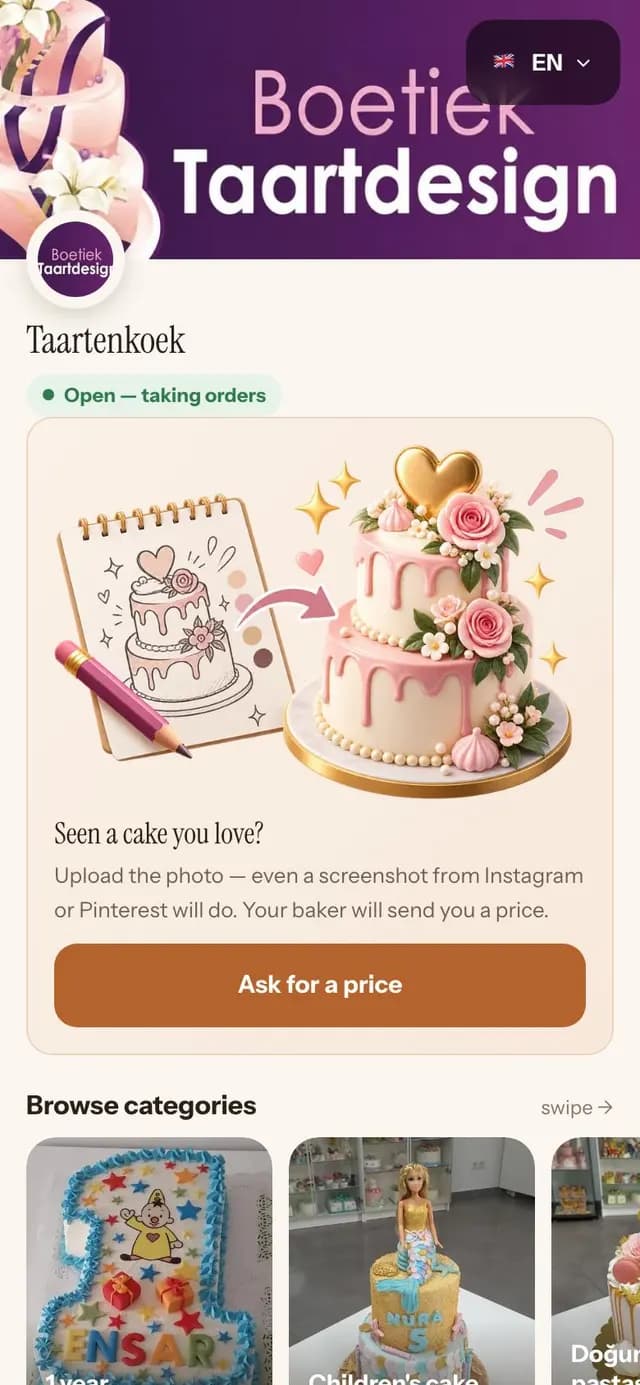
Your storefront
Your cakes, your photos, your shop. Share the link wherever customers find you.
- Your logo, your cover photo, your intro line
- Choose how to show your cakes: a large photo gallery, shortcuts or a mosaic
- Give each category its own page and cover image
- Show cakes you can make at short notice on a "last minute" shelf
- Write your own "About", "Delivery" and "FAQ" pages
- Share your shop on WhatsApp and Instagram with a preview that looks right
The order form
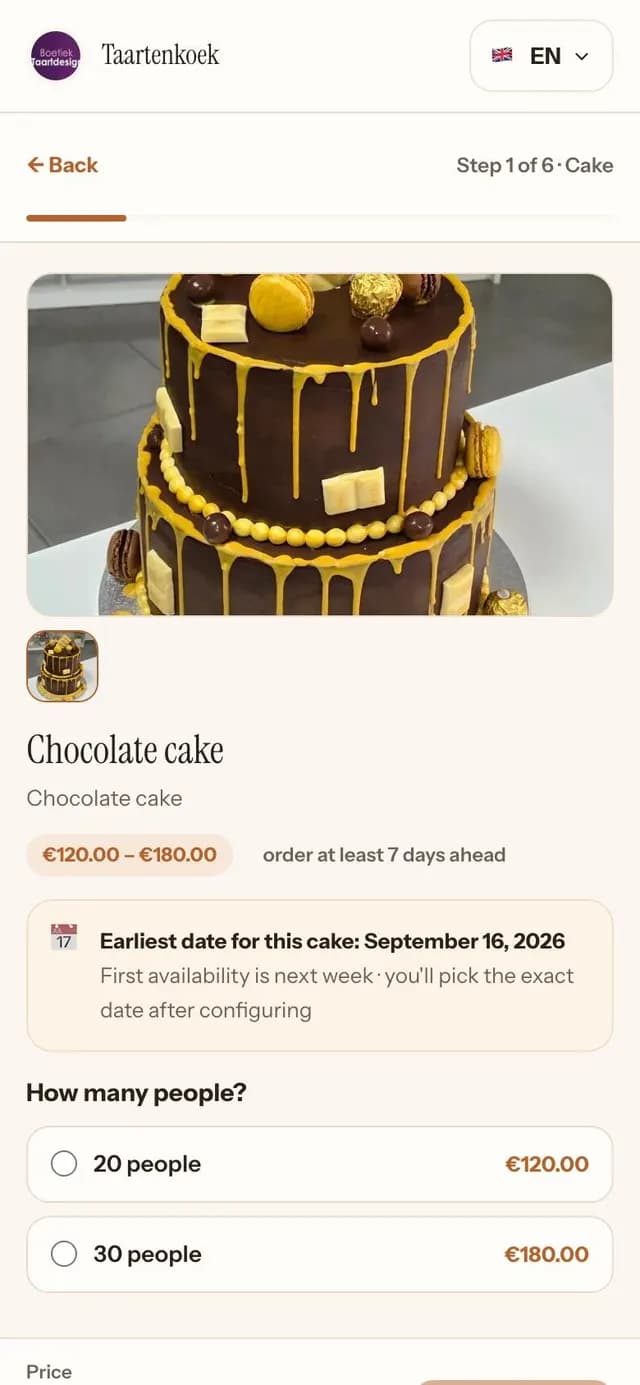
The questions you ask about a cake, in the order you ask them.
- Set a price per person; the form calculates the price for the size each customer chooses
- Let customers choose flavours, fillings and finishes from pictures, with single or multiple selections
- Customers can choose each tier separately or make them "all the same"
- Customers set quantities for items sold by the piece: "12 cupcakes, 4 chocolate"
- Ask "What should it say on top?" as part of the cake order
- Offer add-ons at the end, with a discount you choose
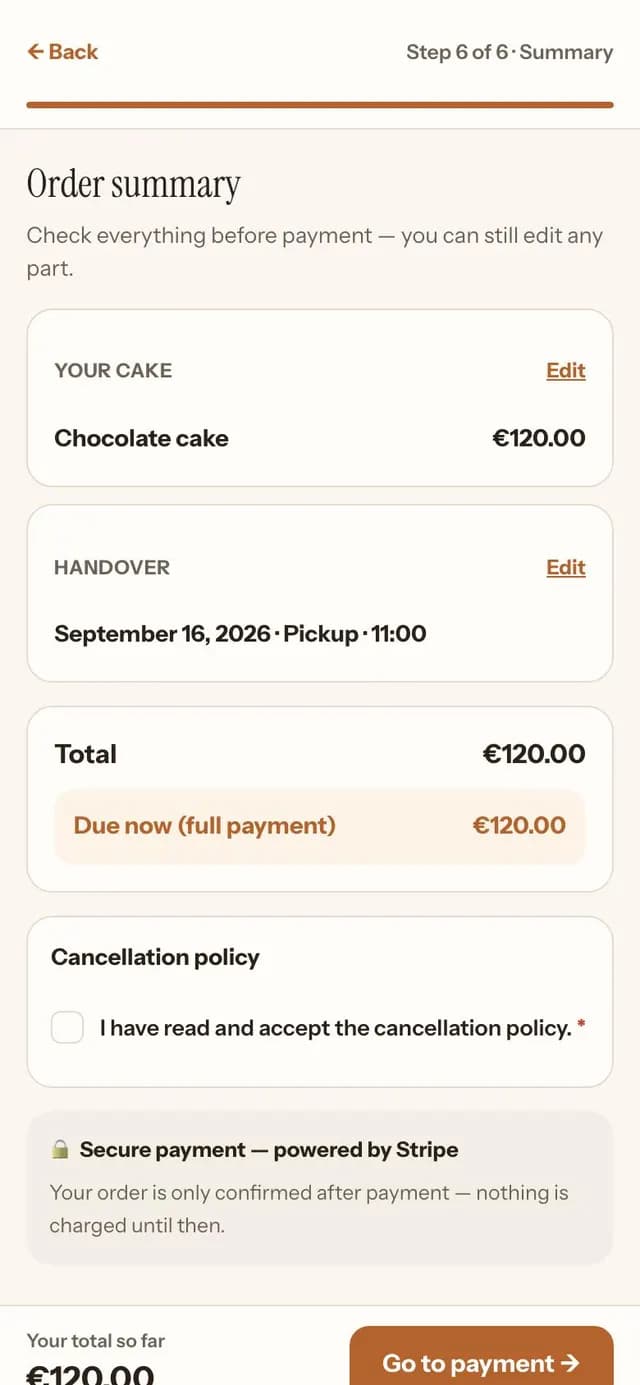
- Show the updated total at every step, so customers know the price before they pay
- Customers see and agree to your cancellation terms before paying
Custom cakes: send a price
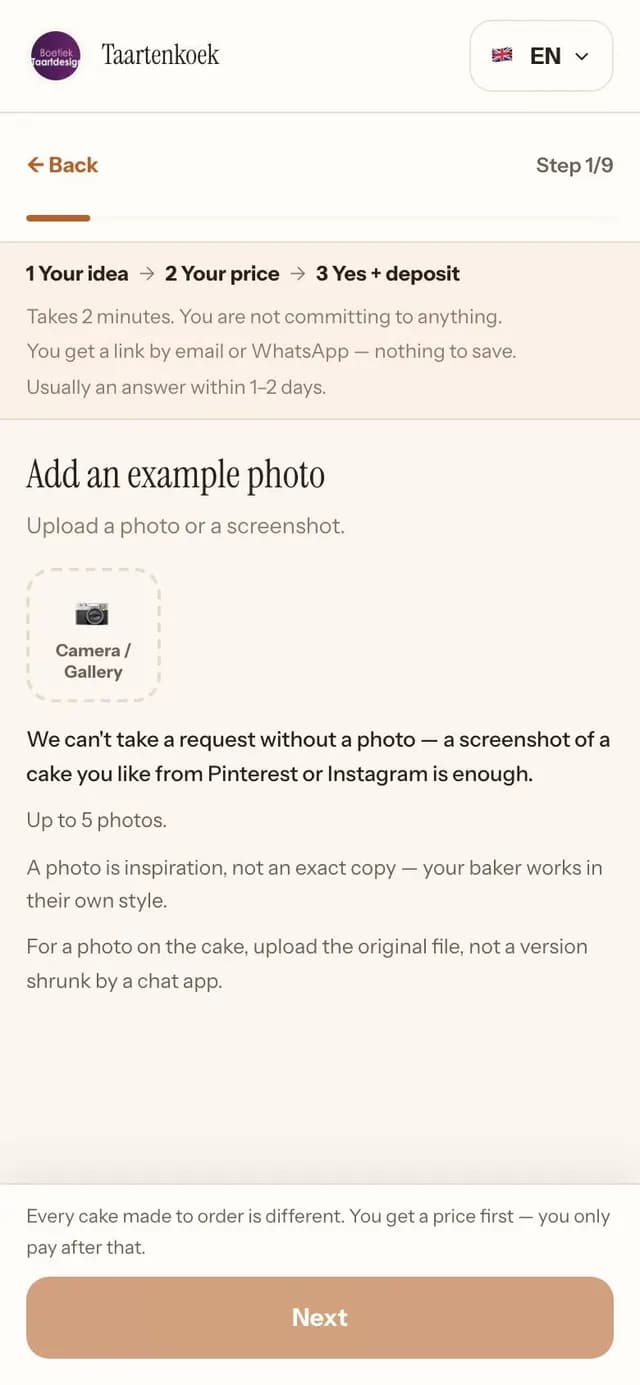
For some cakes, you need to see the design before setting a price. Customers send the details in a price request instead of starting another DM conversation.
- Receive reference photos, the occasion, number of people, date, and whether it is pickup or delivery
- Choose what to ask about: allergies, budget, date flexibility and phone number
- Use your own cake sizes, such as "small, 8 to 10 people", rather than preset ranges
- Build the price from items on your menu, or enter the total yourself
- Include extras or discounts, such as "delivery to venue €40" or "returning customer −€15"
- Choose how long the price is valid; customers tap to accept it before it expires
- Once the customer accepts and pays the deposit, follow the order like any other
Calendar and capacity
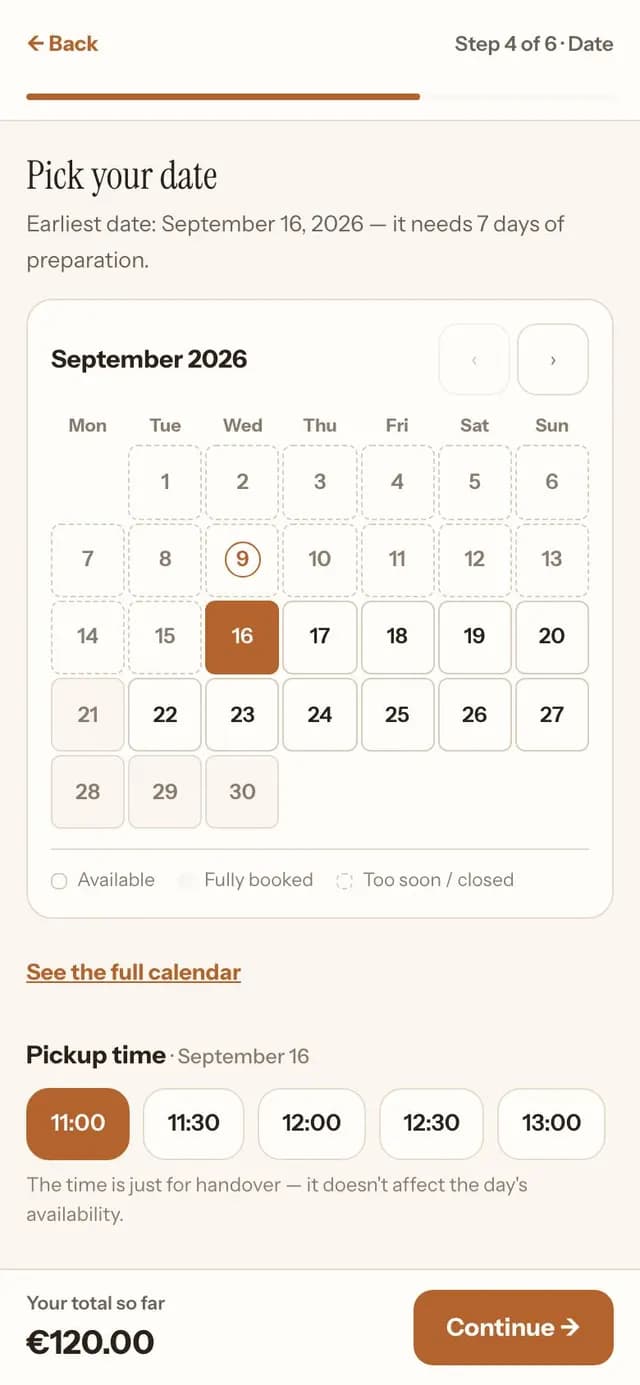
Decide how much baking fits into your day. The form stops taking orders when you reach that limit.
- Set your working days and how much baking you can take on each day
- Each cake counts towards your day according to the work involved: a wedding cake may take all day, a bento cake much less time
- Set how far in advance each cake needs to be ordered, so you have time to make it
- Close a date for a day off, or block out your whole holiday
- Customers choose a pickup time from your list
- While a customer pays, their order has a place in your day. Another customer cannot book that same space.
- Customers see "available" or "not available"; your daily limits stay private
Payments and deposits
Take payments into your own account, on your terms.
- Set the deposit percentage; customers pay the rest at pickup
- Card and iDEAL through your own Stripe account (where Stripe operates)
- Receive bank transfers to your IBAN and tap to confirm when the money arrives
- Add a Tikkie link to each price you send; it opens from the payment button
- Butiq calculates refunds using the rules you set
- Unpaid orders cancel automatically, making room for another order
Delivery
Offer pickup, delivery or both. Set delivery fees by postcode.
- Set delivery areas by postcode range, with a fee for each area
- Set a minimum order value for each area to make longer deliveries worthwhile
- Offer "free delivery above €X" if you choose
- Delivery orders are only accepted for postcodes in your delivery areas
Keep the day's orders close at hand
One hand busy baking, the other on your phone. Butiq is built for managing orders in the kitchen.
- See what to bake and what to hand over on the "Today" screen
- The order list starts by showing today. Scroll up for past orders and down for upcoming ones.
- Keep the original order details to bake from, in your language
- Mark each order as started, ready and picked up
- A WhatsApp message is ready at each stage for you to send from your number
- Butiq sends order confirmations by email, in your voice and on your behalf
- Manage the shop together with a colleague or partner
- Add a product from photos. Butiq prepares a draft name, description and options.
See it with your own cakes.
See how ordering goes with your own customers. Free to start, no card needed.